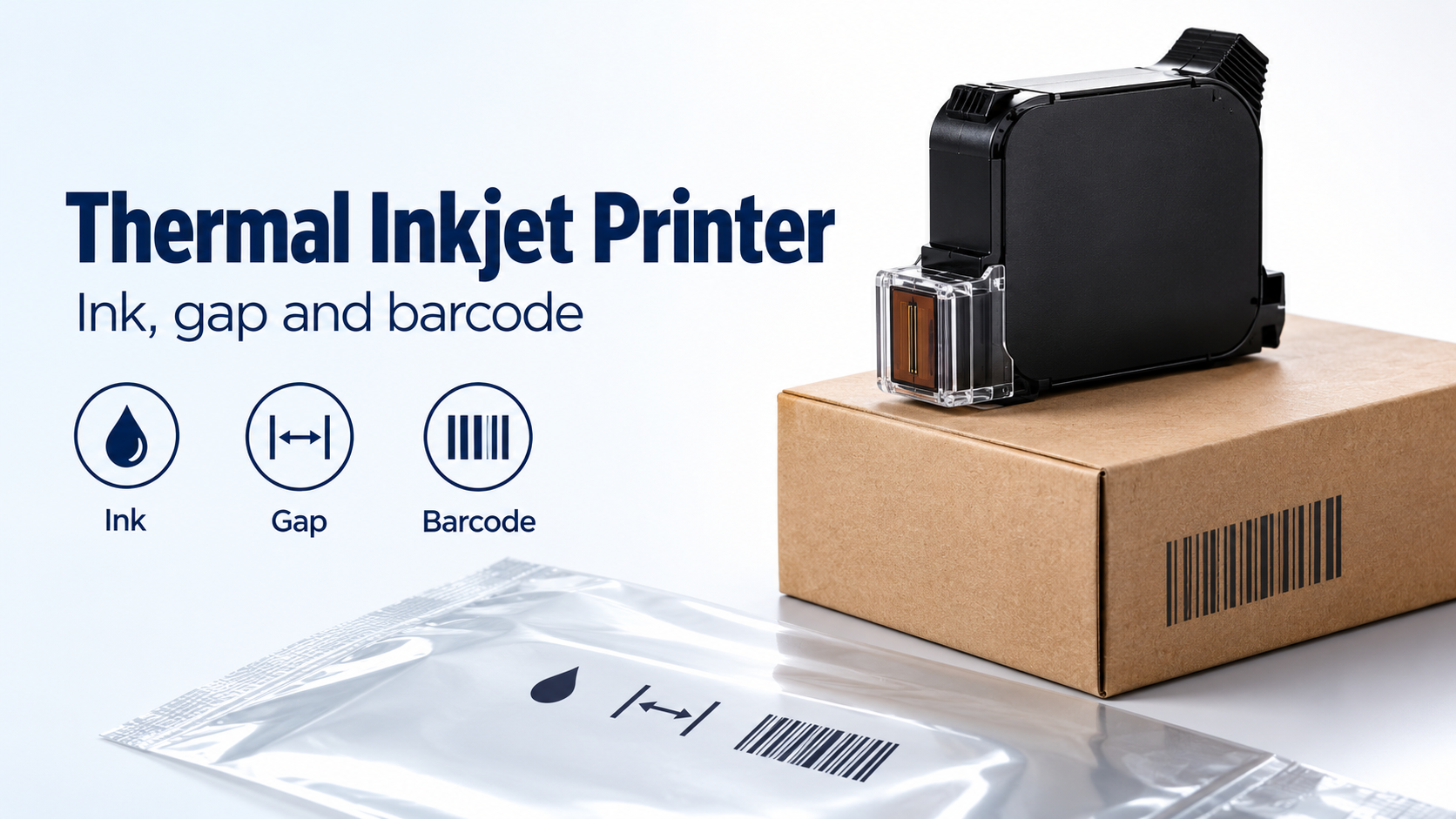
A smeared carton barcode or missing film code can waste thermal inkjet printer cartridge ink and force packaging rework. Match aqueous or solvent cartridge inks to the receiving surface first, then verify throw distance over the package’s movement and barcode resolution at the intended line condition.
A thermal inkjet printer needs a compatible ink, cartridge and printhead combination. Aqueous inks are a starting point for porous carton faces; suitable solvent formulations extend TIJ to coated board and film. The permitted throw distance belongs to the named configuration, and the nominal dot resolution describes addressable placement rather than barcode quality. Start with the exact material face and ink documentation, measure the moving surface relative to the nozzle plate, and evaluate the finished symbol after the relevant downstream handling.
Quick specs: keep each rating with its configuration
These are documented examples, not interchangeable TIJ settings. All documents were accessed on 19 October 2026; PDF page references below are physical pages unless a printed manual page is also given.
| Input or item | Typical value or source | Why it matters |
|---|---|---|
| Aqueous versus solvent | Videojet non-porous packaging note, p. 1: water-based inks for porous packaging; compatible solvent options for a broader surface range | The coating at the code location can change the ink choice |
| Nozzle-plate distance | 1–3 mm, with 3 mm maximum, Videojet 8520 manual Rev AB, printed p. 3-14 / PDF p. 36 | Measure from the nozzle plate to the print material |
| Separate long-throw example | Up to 10 mm, Domino Gx-OEM OPT head for special applications, brochure p. 1, January 2024 | A different head’s limit cannot be assigned to the standard configuration |
| Maximum resolution example | 600 × 600 dpi, Videojet 8520 product specifications | A saved OEM specification supports the claim; it does not promise a symbol grade |
| Speed versus horizontal resolution | Up to 30 m/min at 600 dpi, Gx-OEM Standard/Compact table, p. 2, ink dependent, January 2024 | Increased addressable resolution must be assessed alongside the speed rating |
Choose cartridge chemistry for the face receiving the code
Use aqueous ink as the initial candidate on porous board, and evaluate a compatible solvent formulation when the receiving face is coated or is film. “Carton” alone does not identify that face: bare fibre, varnish and a coated panel are different selection inputs.
Videojet’s non-porous packaging application note, p. 1 explains the extension from water-based TIJ on porous materials to ethanol- and MEK-based options. The note also assigns the named inks to particular printer platforms. Its compatibility examples are historical, from the document’s 2015 edition; they demonstrate why ink chemistry and hardware compatibility must be checked together.
| Receiving face | Cartridge starting point | Evidence boundary | Dominant Failure Mode & Prevention |
|---|---|---|---|
| Uncoated porous carton | Compatible aqueous formulation | Confirm the actual carton face and approved ink | Unacceptable printed edges or handling durability: evaluate the finished code on the production stock |
| Coated or varnished carton | Suitable solvent formulation | Domino’s BK140 sheet explicitly addresses coated cartons and boxes, with G20i-only compatibility | Smearing or poor adhesion: select by the coating and inspect after the real first contact |
| Plastic or laminated film | Solvent formulation documented for that surface and printer | Domino’s ink-selection guide includes single-layer and laminated film; Videojet describes platform-specific film inks | A code that wipes off or prints incompletely: confirm both surface compatibility and gap control throughout film movement |
The BK140 data sheet, pp. 1–2 is a useful example of a tightly bounded claim: ethanol ink for coated cartons, compatible with the named printer only. It does not authorise loading that ink into another TIJ cartridge or head.
Keep dry time separate from decap time. Dry time concerns the printed code before downstream contact. Domino’s ink-selection explanation defines decap in terms of exposed-nozzle idle time and the risk of ink drying at the nozzles. Obtain the exact cartridge’s operating instructions; no universal idle interval follows from the word “solvent.”
Use the worst moving gap, not the nominal mounting gap
Measure throw distance from the nozzle plate to the receiving surface over its expected movement. The 8520 manual, printed p. 3-14 specifies its installation range; the printhead bracket or protective plate is not the measurement origin.
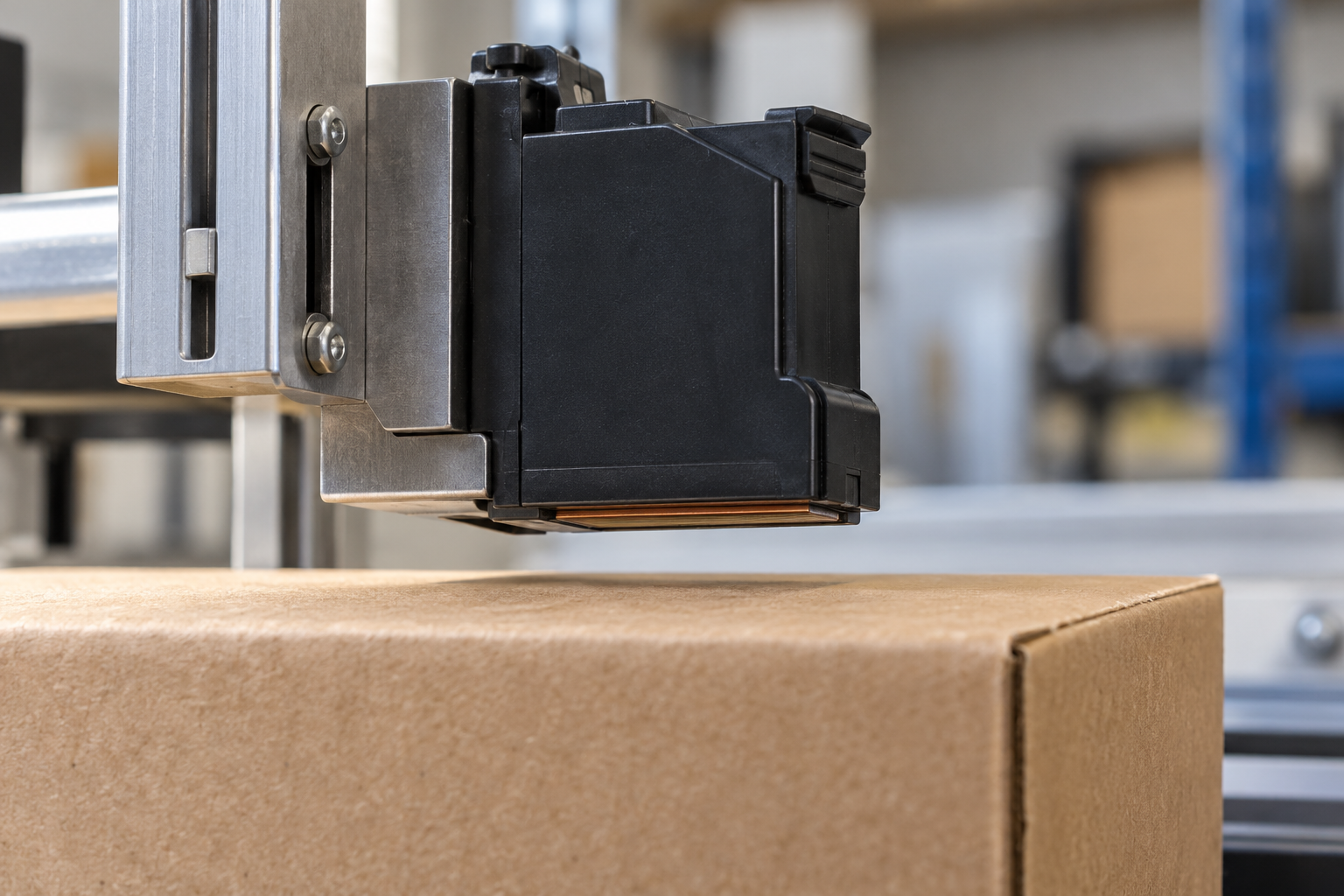
The photograph shows a gap. It does not show the 8520 maximum, a measured distance or a named cartridge.
Threshold rule: for the 8520 installation described in that manual, if the farthest receiving surface exceeds 3 mm from the nozzle plate, the setup exceeds the documented maximum. Improve product presentation or evaluate a separately documented configuration before accepting it. Also check inward movement for impact risk; a far-gap calculation does not establish minimum clearance.
g_worst [mm] = g_set [mm] + outward surface movement [mm]
Illustrative installation example, 19 October 2026: an assumed 2 mm setting plus 1.5 mm outward movement gives 3.5 mm, above that manual’s 3 mm maximum. These are planning assumptions, not measured conveyor tolerances.
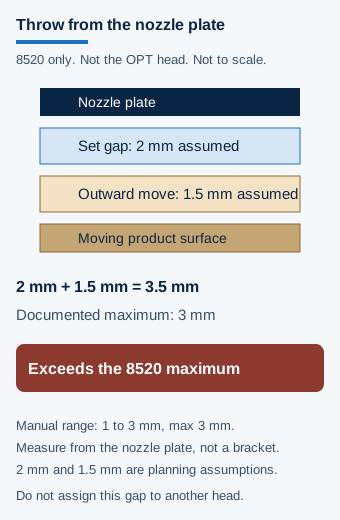
Schematic, not to scale. The 2 mm setting and 1.5 mm movement are planning assumptions. The 3 mm ceiling belongs to the 8520 manual, not to a different head.
The Gx-OEM brochure, p. 1 documents a separate OPT head for longer throw. Evaluate its ink, resolution and application conditions together. Do not combine its distance claim with the Standard/Compact head’s speed rating to invent a configuration.
Convert resolution into module geometry, then verify the print
Resolution tells you how many dot positions are available within a barcode module; it does not establish the quality of the printed module. The 8520 specification states its maximum resolution, while the Gx-OEM brochure explicitly couples horizontal resolution to ink-dependent speed.
For module width X in mm/module and addressable resolution R in dots/in along the evaluated axis:
n [dots/module] = X [mm/module] × R [dots/in] ÷ 25.4 [mm/in]
Illustrative geometry example, 19 October 2026: assume X = 0.254 mm/module and use the documented 600 dpi resolution; 0.254 × 600 ÷ 25.4 = 6 dots/module before ink spread. The assumed module width is not an application minimum or a barcode-quality threshold.
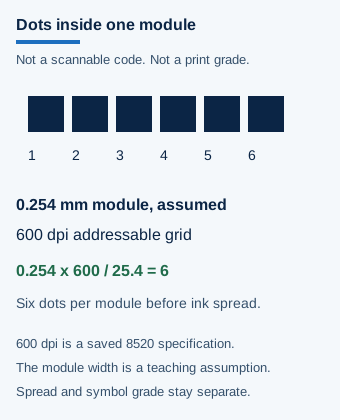
Schematic grid, not a printed or scannable barcode. Six dots follow the assumed module and the documented 600 dpi grid before ink spread. They are not a symbol grade.
Evaluate both axes of the actual printed symbol, including the effect of substrate appearance, missing print and handling. The official SC 31 Business Plan 2025, PDF p. 3 identifies ISO/IEC 15415:2024 as covering two-dimensional symbol print quality and ISO/IEC 15416:2025 as covering linear symbol print quality. That scope summary supplies neither an acceptance grade nor a test setup for this packaging application. Use the barcode verification guide to distinguish a successful scan from a documented quality evaluation.
Compare consumable cost at accepted output
The cartridge purchase is only part of the coding cost. Count usable ink and the production time needed to recover an acceptable code, rather than assuming a fixed yield from nominal cartridge fill.
| Cost boundary | What to record |
|---|---|
| Ink actually available for codes | Cartridge consumption, cleaning or purge losses, unused ink at removal and expired stock |
| Restart recovery | Wiping, approved servicing and rejected packs before acceptable print returns |
| Changeover interruption | Cartridge access, replacement, message check and first acceptable pack |
| Failed handling durability | Packaging and product requiring rework or rejection after coding |
Compare total consumable, recovery and rejection costs over the same period, divided by accepted coded packs. A cheaper cartridge loses its advantage when extra recovery and reject costs exceed the purchase saving. Where replacement interrupts an unbuffered line, include the lost production time; do not transfer an OEM’s cartridge-change time into a complete line-restart estimate.
The industrial inkjet integration guide helps define triggers, product motion and restart behaviour. Use the packaging coding equipment guide to compare technologies with the same accepted-output boundary.
Method and sources
This guide compares retrieved OEM manuals, specifications and ink documents, accessed 19 October 2026. Model and ink conditions stay attached to each rating. The gap and module examples are stated assumptions with reproducible arithmetic; actual motion, drying, decap limits and acceptance criteria require the production application’s records.
- Videojet, non-porous packaging application note: p. 1, aqueous/solvent scope and platform compatibility; copyright 2015.
- Videojet, 8520 Operator Manual Rev AB: printed p. 3-14 / PDF p. 36, nozzle-plate distance. Publication date not established.
- Videojet, 8520 specifications: maximum resolution, live document at access date.
- Domino, Gx-OEM brochure: pp. 1–2, OPT head and ink-dependent speed table; January 2024.
- Domino, BK140 sheet: pp. 1–2, coated-carton application and compatibility; September 2016. TIJ ink-selection guide: film applications and decap definition.
- ISO/IEC JTC 1 SC 31, Business Plan 2025: PDF p. 3, print-quality standard scopes. Full standard procedures are outside this summary’s evidence scope.
Updated October 2026.